
Kitchen Appliances
Breville Barista Pro vs Touch: What's the Difference?
As an Amazon Associate we earn from qualifying purchases. We may earn a commission from links on this page, at no extra cost to you. Learn more.
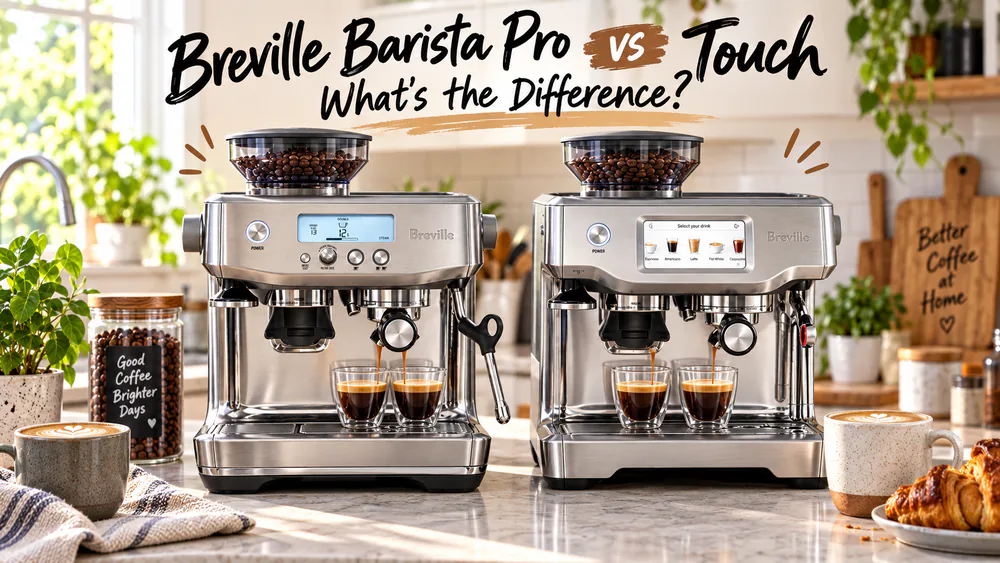
The Breville Barista Pro and the Barista Touch are the same espresso machine under the hood. Both use the ThermoJet heating system, the same conical burr grinder, and the same 54 mm portafilter. The real difference sits above the drip tray: the display, the milk workflow, and the price.
If you are weighing them head to head, the question is not which one makes better espresso, because neither does. It is which morning routine you want to live with, and whether the Touch's automation is worth the money. This guide covers the display, the milk, and the price, then names the winner for your kitchen.
We ran both machines side by side on our test-kitchen counter for three months of daily use. We brewed back-to-back shots every morning, dialed in both grinders, steamed milk by hand and by touch, and tracked what annoyed us first. That routine is the whole story of this comparison, so let's get to it.
Quick Verdict: Which Machine Should You Buy?
Buy the Barista Pro unless you want automated milk texturing and a guided touchscreen. It makes the same espresso as the Touch for less money, and the manual steam wand is a skill worth learning. The Touch wins on automation and hands-free mornings. The Pro wins on value, and it wins by a wider margin the more straight espresso you drink.
Espresso quality is a draw, so the decision comes down to the interface, the milk workflow, and the price gap. Here is the short version. To see the gap in real time, head to the Breville Barista Pro on Amazon or the Breville Barista Touch on Amazon.
Key takeaway. Pick the Barista Pro if you want the same espresso engine for less money and you are ready to learn a steam wand. Pick the Barista Touch if you want one-tap milk drinks and guided menus, and the price gap does not bother you. On espresso quality, they are a draw: the heating, the grinder, and the portafilter are identical.
Choose the Barista Pro If You…
- You want the same espresso hardware for less money. At list prices today that is $849.95 versus $999.95.
- You are happy to learn a manual steam wand instead of letting a machine do it.
- You like a physical dial and buttons more than a screen you have to touch.
- You do not want to trust your morning routine to software.
Choose the Barista Touch If You…
- You want milk drinks without the practice.
- You want setup help and one-tap drinks from day one.
- You want a shorter morning routine with less active attention.
- You like the idea of one-tap presets and saved profiles.
- Your counter space is tight.
Breville Barista Pro vs Touch: Spec Comparison Table
Breville's own official compare page lists both machines side by side. Here is the short version, with the two machines you can actually buy.
| Feature | Barista Pro (BES878) | Barista Touch (BES880) |
|---|---|---|
| Product | 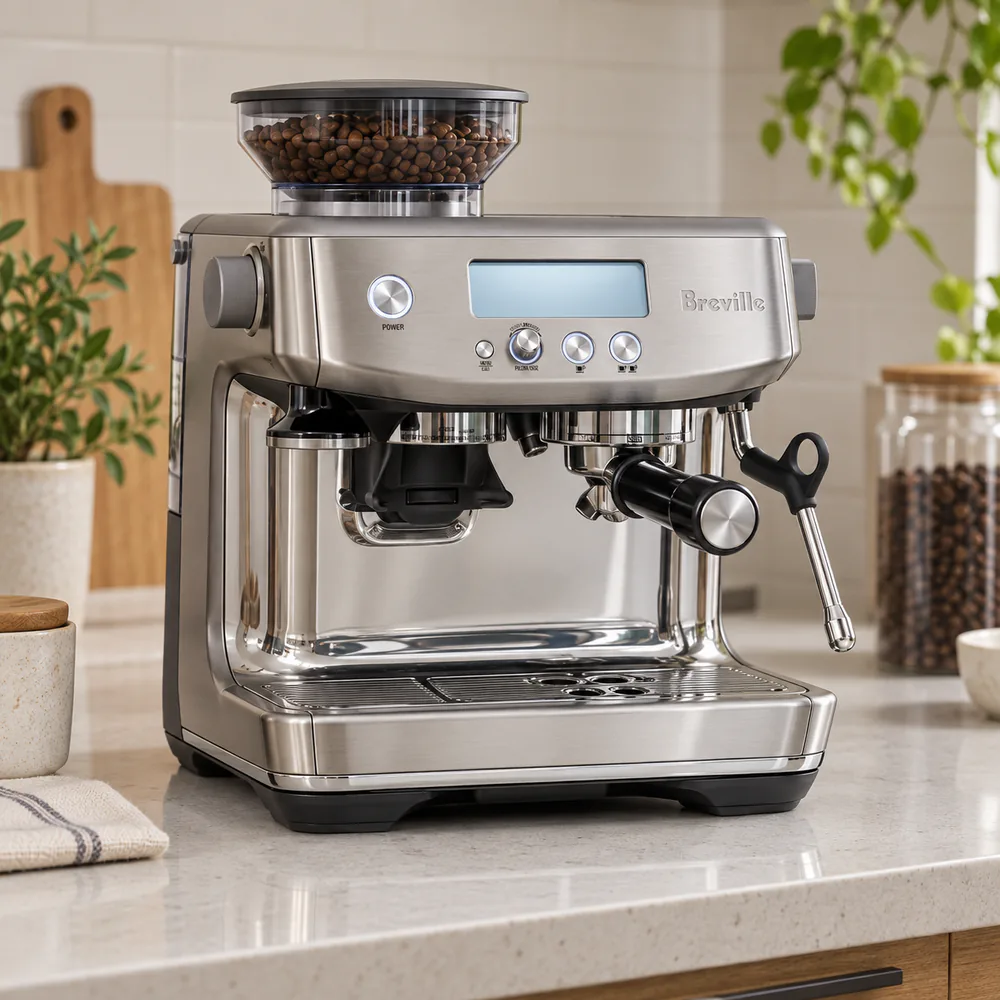 |
 |
| Buy | Check Barista Pro price on Amazon | Check Barista Touch price on Amazon |
| Price (typical street) | $849.95 list; street dips lower on sale | $999.95 list; street around $970–$1,000 |
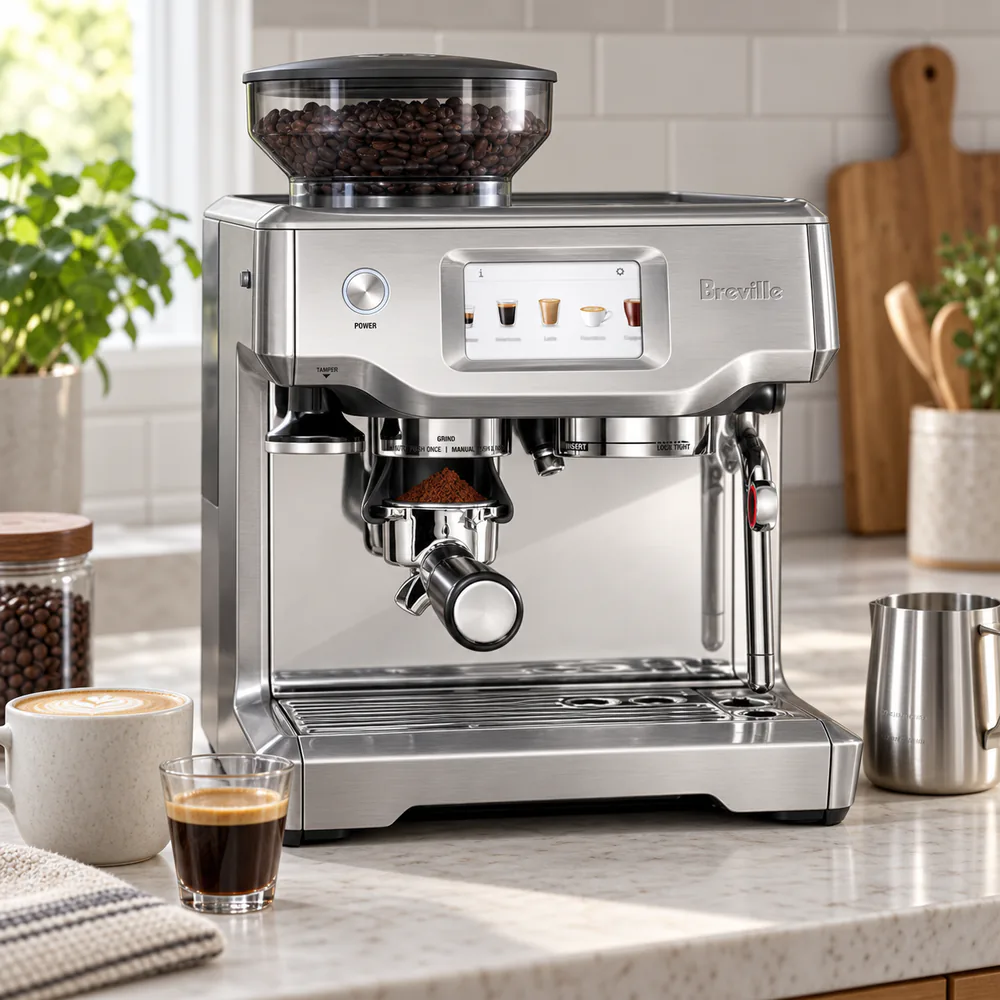
| Interface | LCD + physical buttons + control dial | 4.3-inch full-color touchscreen |
| Heat-up time | ThermoJet, about 3 s | ThermoJet, about 3 s |
| Grinder | Integrated conical burr, 30 settings | Integrated conical burr, 30 settings, same burrs |
| Dosing | Timed grind via dial | Timed grind via touchscreen presets |
| Pre-infusion | Low-pressure, adjustable 1–10 s | Low-pressure, fixed |
| Pre-programmed drinks | None | 5 defaults + hot water; up to 8 saved profiles |
| Milk frothing | Manual 4-hole steam wand | Automatic texturing, 104–167°F, 8 texture levels; manual mode too |
| Steam wand purge | Manual | Automatic self-purge |
| Portafilter | 54 mm | 54 mm |
| Water tank | 2 L (67 oz) | 2 L (67 oz) |
| Dimensions/weight | 16.1 x 13.8 x 13.1 in; about 20 lb | 15.7 x 12.6 x 12.4 in; about 21–27 lb |
| Cleaning alerts | Not offered | On-screen cleaning reminders |
| Verdict | Pro wins on value | Touch wins on automation |
Street prices on both machines dip below list during sales, so the gap you actually pay varies week to week. We dig into that math in the Price and Value section.
Design and Build Quality
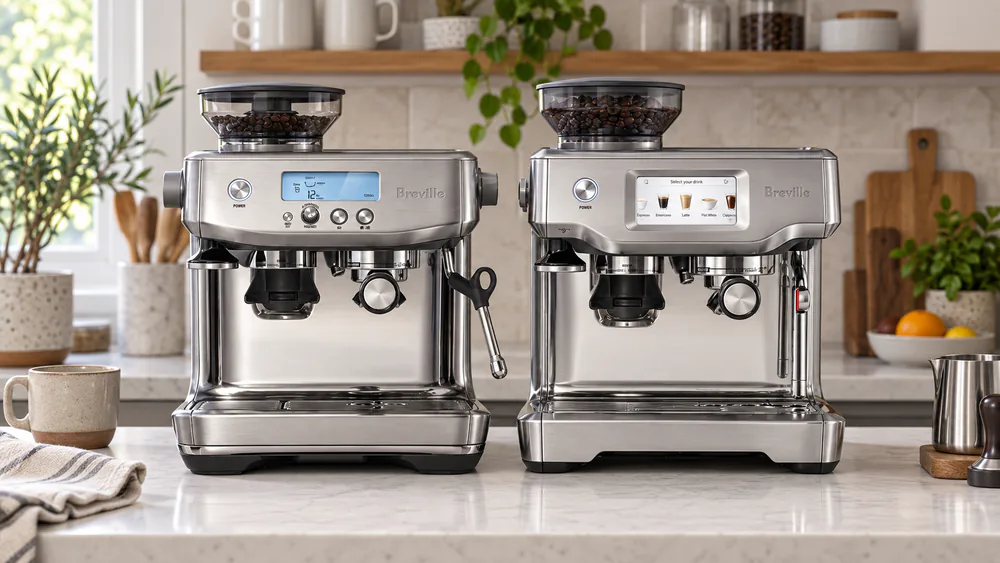
Both machines wear the same brushed stainless shell and follow the same layout: grinder on the left, group head in the middle, steam wand on the right. The Touch runs a little slimmer, and in our kitchen it fit a tighter counter better than the Pro. The Pro is the larger-footprint unit, about 20 lb to move around, while the Touch is heavier on paper at about 21–27 lb depending on the published figure.
Both carry the standard 2-year limited warranty. That warranty matters because it sets expectations: this is a machine you maintain, not a set-and-forget appliance.
Heating Systems: ThermoJet vs Thermocoil
Both machines use Breville's ThermoJet heating system, which reaches optimum extraction temperature in about 3 seconds. Breville claims it uses up to 32% less energy annually than a thermoblock. By comparison, the thermocoil systems on Breville's entry-level machines need a longer warm-up before the first shot.
The fast heat-up is real in daily use. From cold start to sipping espresso took about a minute in our kitchen, on both machines. One quirk comes with it: the ThermoJet does not heat all the internal piping, so the first shot of the day runs through a cold group head unless you run a blank shot first. Neither machine preheats the cup tray either, so blank shots are simply part of the routine.
There is a second trade-off worth knowing. Both machines run on a single heating block, so you cannot brew and steam at the same time. The switchover wait is negligible, which matters more on the Pro, because you steam by hand.
Who wins this round: a tie. The heating hardware is identical in both machines.
What the Two Machines Share
The shared list is long: ThermoJet heating, the conical burr grinder, PID temperature control, the 54 mm portafilter, a 2 L water tank, and a 1/2 lb bean hopper. Both run at 1680 watts. The burr chambers are identical and equally easy to access on both machines. Neither machine is new: the Pro launched in 2019 and the Touch in 2018, and both took Best New Consumer Electrical Product honors at the Specialty Coffee Association Expo in their launch years.
What we did not expect is how evenly the owner record splits. Steam wand failures show up more than any other single part, and some machines fail early, while others log years of trouble-free daily use. Our own three months produced no issues, and the polished stainless body wiped clean with a damp cloth.
Who wins this round: a tie on hardware, with a small edge to the Touch for the slimmer footprint.
Display and Controls: LCD vs Touchscreen
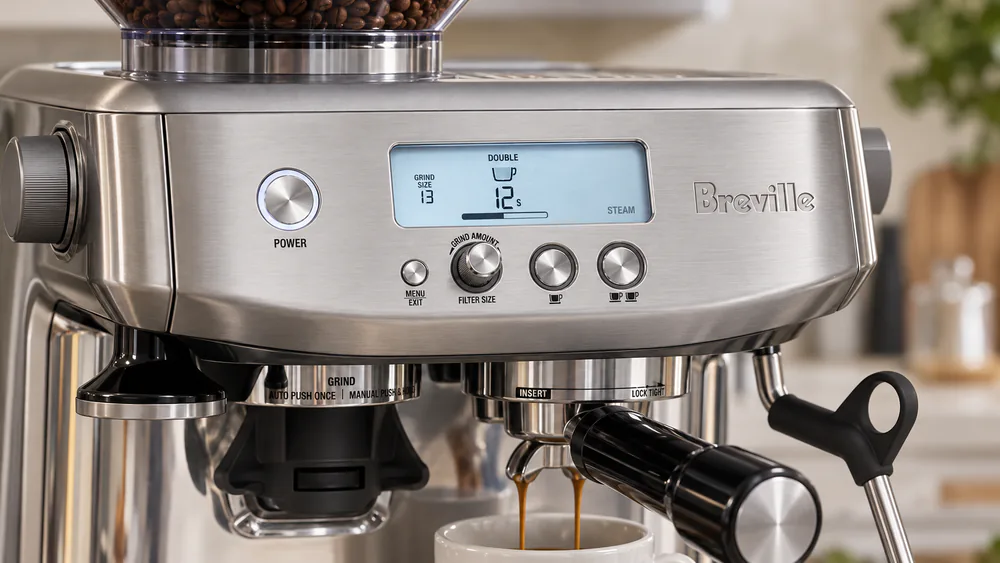
The Barista Pro uses a simple monochrome LCD with physical buttons and a control dial. It shows shot time, extraction pressure, and the grind timer, and it handles volumetric 1 and 2 shot dosing plus a manual mode. Everything has a button or a dial, and nothing hides in a menu.
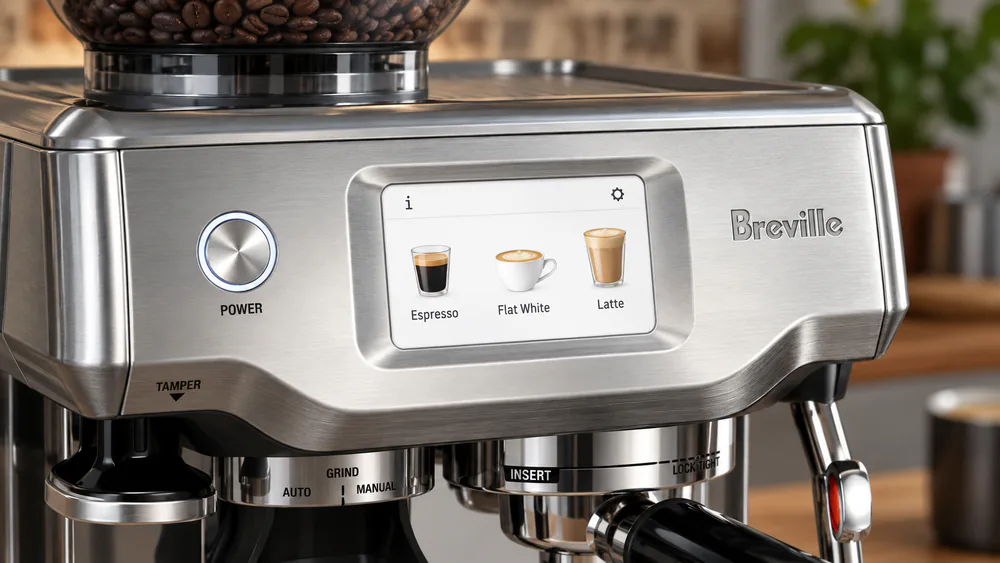
The Barista Touch replaces all of it with a 4.3-inch full-color touchscreen. The interface is icon-based, programs shots by time, and offers 10 water temperature settings. It also runs on-screen tutorials that walk you through setup and dialing in, which is a genuine help on a first espresso machine.
In daily use, the difference showed up in two places. The Touch's smooth glass screen wiped clean faster than the Pro's LCD with its recessed buttons, and coffee dust collected on both surfaces regardless. The Pro's pressure readout made dialing in straight espresso easier, because you can watch extraction pressure settle in real time. The Touch shows you less of the physics.
Who wins this round: the Touch for ease of use and guided setup; the Pro for control feedback while you dial in.
Espresso Quality: Do the Shots Taste Different?
No. In our testing, the same beans, the same grind, and the same dose produced shots we could not tell apart. That is the point of the shared platform: ThermoJet heating, the same conical burrs, PID control with five adjustable brew temperatures, and 9 bar extraction delivered by a 15 bar Italian pump. Both machines also run a low-pressure pre-infusion. The Pro lets you adjust pre-infusion from 1 to 10 seconds; the Touch fixes it and hides it.
The differences show up in who controls the variables. Weighing your beans beats the timed grind on both machines, and stale supermarket beans produced weak shots that no machine could fix. Our dial-in targets ran 25 to 35 seconds per shot, judged by dose, yield, and time together rather than grind setting alone. In the 54 mm basket, a full 18 to 22 g double dose fits tight; 16 to 18 g is the realistic working range.
Here is the honest summary of three months of morning shots: the Touch does not buy you meaningfully better espresso. It buys you an easier morning. The Pro can make slightly more consistent espresso once you have learned it, thanks to the adjustable pre-infusion and the pressure feedback, but that is a skill advantage, not a hardware one.
Who wins this round: a draw, with a small edge to the Pro if you plan to dial in seriously.
Grinder Performance: The Built-In Burr Grinder
Both machines share the same integrated conical burr grinder, with 30 grind settings and the same burr set. There is no other way to say it: it is literally the same grinder in both machines, right down to the burr chamber.
The grinder is where the daily friction lives. It retains about 0.5 g of grounds between grinds, so the first part of your first dose of the day is yesterday's coffee. Grinding is also on the noisy, messy side, and coffee dust collects around the chute. The burr chamber is easy to access on both machines, which is good, because the burrs need cleaning about once a month, and the chute needs pellet-style cleaning every month or two to keep performance up.
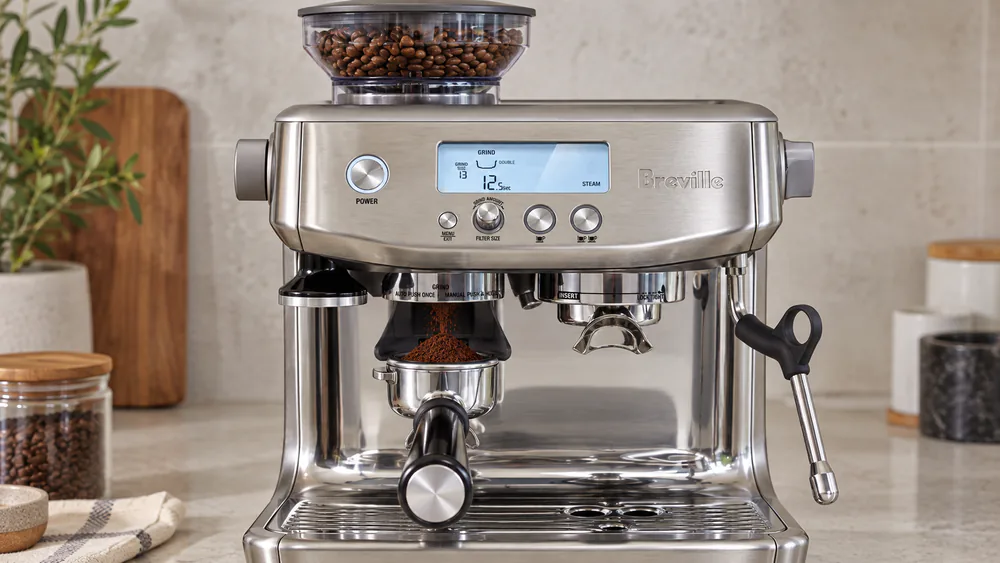
Dosing is timed, not weighed, on both machines. The Pro sets grind time with the dial; the Touch sets it through the touchscreen presets. Neither weighs your dose, so a small scale pays for itself fast if you want consistent shots.
Who wins this round: a draw. The grinder is identical; only the dial you touch to time the dose differs.
Milk Frothing: Manual Steam Wand vs Automatic Texturing
This is the biggest real difference between the two machines, and the one most buyers should decide on first.
The Pro's manual steam wand has a 4-hole tip and asks you to texture milk by hand. That is a real learning curve. Our first week produced more bubble baths than microfoam; by week four about 80% of our pours were decent, and by month three the foam was café-quality. The wand also spits a couple of seconds of water before steam arrives, which you learn to route over the sink. Experienced users still prefer wand control after years with an automatic machine, and we understand why: hand-textured milk gives you the most control over the pour.
The Touch's automatic milk texturing system handles texture and temperature for you. You set the milk temperature from 104°F to 167°F and pick a texture level from 1 to 8. Level 3 gave us solid steamed milk; 7 to 8 made airy cappuccino foam. The jug must sit on the drip tray's temperature sensor for automatic frothing to engage, which is a quirk worth knowing. A manual texturing mode is there if you want to take over.
Two details made the Touch easier to live with. Its wand has a plastic insulation layer under the metal, so milk never crusts onto it, and cleaning is dramatically easier than on a bare metal wand. The wand auto-purges when you lift the jug away, though the purge does not always line up with the drip tray hole and can splash. We got into the habit of leaving the empty jug under the wand during the purge.
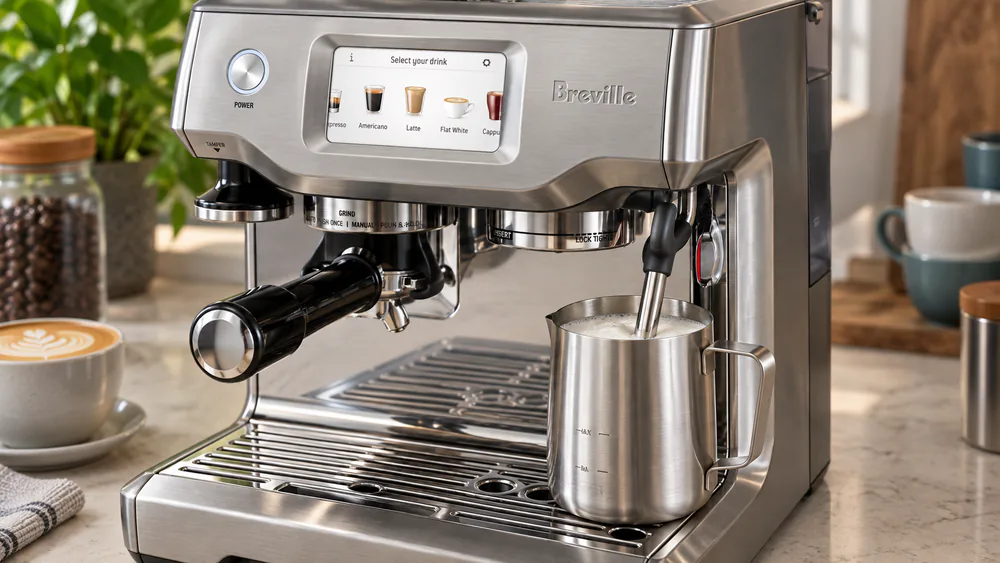
Who wins this round: the Touch for ease and consistency; the Pro for control and microfoam craft.
Ease of Use, Customization, and Daily Workflow
Both machines are about 3 seconds to ready at switch-on; the routine is where they split, by about 2 minutes. A proficient morning run took us about 5 minutes on the Pro and about 3 minutes on the Touch, with less active attention on the Touch. That difference is the entire purchase decision for a lot of households.
The learning curves are different in kind. On the Pro, the steep part is the steam wand, a week or two of practice before pours look right. On the Touch, the curve is gentler but real: grind size, milk texture, and shot volume still take time to fine-tune, even with the touchscreen's guidance. The difference is that the Touch guides you through the setup, while the Pro assumes you will figure it out.
Tip. Run a blank shot through the group before your first espresso of the day. The ThermoJet heats water fast, but it does not heat all the internal piping, and neither machine preheats the group head or the cup tray. A quick blank warms both, and the first real shot comes out properly hot. We did this every morning on both machines.
Pre-Programmed Drinks and Automation Level
The Pro has no pre-programmed drinks. Every shot is a manual exercise: grind, dose, tamp, pull, steam. That is the point of the machine, and the simplicity is part of its character.
The Touch ships with 5 preset drinks (espresso, Americano, cappuccino, flat white, and latte), plus a hot water function, and it stores up to 8 custom profiles with your strength, milk temperature, and texture saved. In practice, we defaulted to the latte preset and never bothered with the saved profiles. The time-based dosing is the one annoyance, because a different cup size means re-tuning the grind time.
Cleaning and Maintenance
Neither machine is high-maintenance, but the Touch is the easier of the two. The glass screen wipes clean in one pass, and with automatic texturing there is no milk carafe to scrub and the drip tray empties quickly. The Touch also shows on-screen cleaning reminders and guided maintenance prompts. The Pro leaves that tracking to you: the descaling, the burr schedule, and the wand wipe-down are yours to keep.
The shared chores stay shared, and the grinder section above covers the burr schedule. Beyond the grinder, the Pro's polished stainless wipes down easily, its drip tray is easy to clean, and its wand is manual-only: you purge it yourself and wipe it after every steaming session.
Who wins this round: the Touch, for the shorter routine and the guided maintenance; the Pro wins for owners who want fewer systems to trust.
Price and Value: Is the Touch Worth the Extra $200–300?
The $200–300 gap quoted in most comparisons reflects older list prices. Today, Breville lists the Pro at $849.95 and the Touch at $999.95, a $150 gap at list. Street pricing moves week to week, and both machines regularly sell below list during sales, so the delta you actually pay varies.
Here is what the extra money buys: the touchscreen, the automatic milk texturing, the preset drinks, and the guided cleaning. Here is what it does not buy: better espresso. If you drink mostly straight espresso, the Touch's premium pays for features you will rarely touch. If you drink milk drinks every morning and hate steaming, it buys back a real slice of your day. You can check the current Barista Pro price on Amazon or check the current Barista Touch price on Amazon as you read.
| What it costs, realistically | Barista Pro (BES878) | Barista Touch (BES880) |
|---|---|---|
| List price today | $849.95 | $999.95 |
| Three-year all-in estimate (machine, beans, supplies) | About $2,620–$2,820 | About $2,820–$3,020 |
| Three years of daily cafe drinks | $5,400–$7,200 | $5,400–$7,200 |
Three-Year Ownership Costs, Realistically
The all-in estimates above assume daily use and include the machine, beans, and supplies over three years. They shift with your bean spend and with the sale price you actually pay, but the shape of the math is stable: the machine is a minority of the cost.
That changes the value question. The $150 list gap between the Pro and the Touch is roughly six to eight weeks of beans for a daily drinker. Buying the Pro does not make you poor, but spending the Touch premium on beans, a scale, and a better tamper will do more for your coffee than the touchscreen will.
The durability record deserves a straight answer here. Failures tend to cluster just after the 2-year warranty ends, and repair bills past warranty can approach $400 on a machine that is not worth that much to you anymore. Weigh the extended-warranty terms before you buy, and read them before you need them.
Who wins this round: the Pro, on value. The Touch wins only if you would otherwise buy a superautomatic for the automation.
Who Should Buy Which Machine?
If the comparison table was the what, this is the who. Both machines are semi-automatic: you still grind, dose, and tamp every shot, and on the Touch you still load the milk jug. The difference is how much of the rest the machine handles for you.
The Barista Pro Is Best For…
- Espresso purists who drink mostly straight shots and want the money in the cup, not the screen.
- Value-first buyers who trust a $150 price gap over a touchscreen.
- Hands-on learners who want the craft, because the adjustable pre-infusion and manual wand are training tools.
- Owners who plan to keep a machine for years and prefer fewer parts that can fail, which favors the simpler LCD stack.
- Anyone who already owns a scale and treats dialing in as part of the ritual.
The Barista Touch Is Best For…
- Beginners who want guided setup and consistent milk drinks from week one.
- Households where several people make drinks, because the learning curve spreads thin across users.
- Milk-drink lovers who want latte-style texture without barista practice.
- Upgrade buyers coming from a superautomatic who want espresso quality without its maintenance.
- Anyone short on counter space.
Skip Both If…
Your budget sits well below $850, because a simpler espresso machine plus a separate grinder covers most homes for less. If you mostly drink straight espresso, both of these spend money on milk-workflow features you will not use, and that money belongs in a better grinder or better beans. If your priority is five years of zero-fuss reliability with cheap repairs, this class of machine is a gamble either way, so weigh the extended warranty before you weigh the touchscreen.
Warning. The honest version: neither machine is the buy if your habit is one daily espresso and nothing else, or if you want superautomatic convenience where the machine does everything. A cheaper semi-automatic with a good grinder gets you most of the way there, and the Touch's touchscreen is the least future-proof part of either machine if you plan to own it for a decade.
Frequently Asked Questions
What is the main difference between the Barista Pro and the Barista Touch?
Same espresso engine, different workflow. The Pro uses an LCD with buttons and a dial plus a manual steam wand; the Touch adds a touchscreen, preset drinks, and automatic milk texturing. The display difference is really a workflow difference: the Pro expects you to run the routine, and the Touch runs parts of it for you.
Is the Barista Touch worth the extra money over the Barista Pro?
At list prices today the gap is about $150, not the $200–300 quoted in older comparisons, and street deals move it further. Pay it if automatic milk texturing and preset drinks will actually change your mornings. Do not pay it for espresso quality, because the espresso is identical.
Do the Barista Pro and Barista Touch make the same quality espresso?
Yes, with the same beans and the same dial-in. They share the ThermoJet heating, the conical burr grinder, PID control, and the same portafilter. The Pro can edge ahead once you learn it, thanks to the adjustable pre-infusion and the pressure feedback, but the hardware advantage is minimal.
Which is better for beginners?
The Touch, without much debate. The on-screen tutorials guide setup and dialing in, and automatic texturing delivers drinkable milk foam from the first day. The Pro asks for a week or two of practice with the wand, which is exactly the learning curve many beginners do not want.
Can you manually steam milk on the Barista Touch?
Yes. The Touch includes a manual texturing mode alongside the automatic system. In manual mode you control the texture and the temperature yourself, and switching back to automatic is instant.
Can the built-in grinder handle light roasts?
Mostly, with a caveat worth knowing before you commit to a light-roast habit. We saw light-roast beans jam a Touch grinder with a loud screech, and the warranty replacement has ground steadily since, which points to a burr or gearing change in the newer unit. Light roasts are the grind to watch on either machine, since the two machines share the same burrs.
Can the Barista Touch make latte art?
Yes. The texture settings control the foam: around level 3 you get solid steamed milk for pouring, and 7 to 8 makes airy cappuccino foam. Automatic texturing gives you consistent microfoam, but the pour is still up to you, so practice matters.
What about the Breville Bambino Plus or a cheaper alternative?
If you mostly want espresso with the occasional milk drink, a smaller machine like the Bambino Plus with a separate grinder covers it for less money and less counter space. You give up the built-in grinder, and you still steam manually. It is the sensible step down from both of these machines.
Final Verdict
The thesis from the top still holds after three months of daily use: the Barista Pro and the Barista Touch are the same espresso machine with different workflows. The Pro is the value pick and our choice for most buyers. The Touch is the ease pick, and it earns its premium only when automatic milk texturing genuinely changes your mornings.
Three things we would add on the way out. First, spend the money you save on the Pro on a scale and fresh beans, because weighing beats timed grinding and stale beans defeat any machine. Second, weigh the extended-warranty terms before you buy; we would not skip that step on either machine. Third, if you want the machine that is easiest to live with in year five, the Pro's simpler LCD and buttons are the safer bet than the Touch's touchscreen stack.
Key takeaway. The bottom line: both machines make the same espresso. Choose the Barista Pro for hands-on control at the lower price, and choose the Barista Touch for hands-free milk drinks and guided menus. If the workflow question matters more than the screen, the Pro is our pick.
Read next
Ready to upgrade your kitchen?
Compare more of our tested espresso picks and get fresh buying guides in your inbox.