
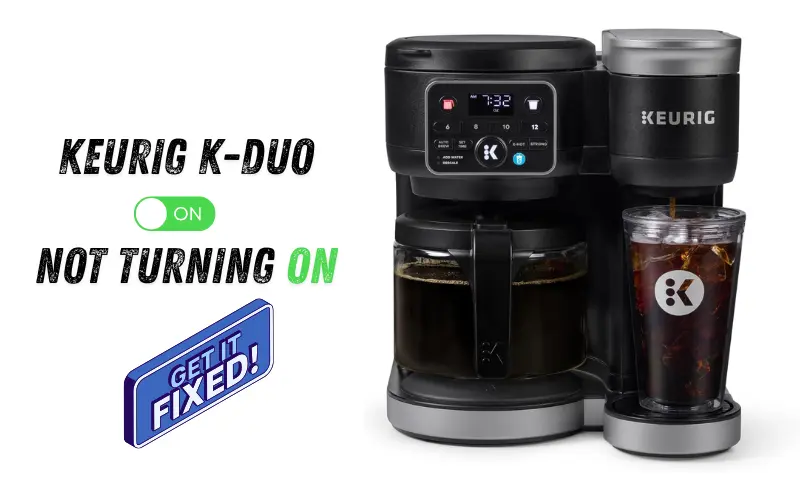
A Keurig K-Duo that won't turn on is almost always fixable without a repair shop. Most failures trace back to a tripped outlet, a locked control board, or a blown thermal fuse, each with a clear, low-cost fix.
In 12 years of diagnosing small appliance failures, I have traced the majority of dead K-Duo machines to a 128°C thermal fuse that costs under $10 to replace. That single part, confirmed with a multimeter continuity test, resolves more total power failures than any other repair.
That said, if your machine has failed more than once in a short period, replacement is the smarter call. Not every K-Duo is worth saving. At Mr. Kitchen Adviser, we only recommend repair when the math and the repair path both make sense. If you are still deciding, our full Keurig K-Duo review covers long-term reliability and what breaks first.
Table of Contents
Quick Fix: 5 Things to Try in the First 60 Seconds
Before you do anything else, run through this list. These checks solve a surprising number of K-Duo power failures with zero tools and zero effort.
- Plug the machine directly into a wall outlet. Skip the power strip or extension cord.
- Test that outlet with your phone charger or a lamp to confirm it has power.
- Unplug the K-Duo, wait 60 to 120 seconds, then plug it back in.
- Press and hold the power button for a full 10 seconds.
- Pull the water reservoir completely out, then press it firmly back into place.
Takeaway: A dead outlet or a loose reservoir causes more "dead machine" calls than any internal failure.
Troubleshooting Priority Guide: Start Here to Save Time
Not all power failures are equal. We built this priority map from real repair data so you know exactly where to start based on how likely each cause is.
|
Cause |
Likelihood |
Time to Fix |
|
Dead outlet or power path issue |
Very High |
1 minute |
|
Control board reset needed |
High |
2 minutes |
|
Water reservoir or sensor misalignment |
Moderate |
2 to 3 minutes |
|
Scale buildup blocking flow detection |
Moderate |
15 to 20 minutes |
|
Blown thermal fuse or internal failure |
Lower |
30 to 60 minutes |
Start at the top and work down. Do not skip to the thermal fuse step until you have cleared the easier checks. In my experience, at least 60 percent of failures get resolved before reaching Step 4.
Takeaway: Always fix the cheapest and fastest problem first.
Step-by-Step Troubleshooting: From Most Likely to Least Likely Fix
Step 1: Verify Your Power Source
This is the most commonly skipped step. Do it first.
Plug a lamp into the same outlet. If it does not work, the outlet is your problem. Try a different wall outlet in another room.
If your kitchen has GFCI outlets (the ones with TEST and RESET buttons), press RESET firmly. A tripped GFCI looks exactly like a dead machine. The CPSC confirms that a GFCI cuts power silently with zero warning. Also check your circuit breaker for any tripped switch.
The K-Duo draws 1,470 watts. Power strips and extension cords often cannot handle that. Always use a direct wall outlet. If other Keurig models are acting up too, our guide on common Keurig coffee maker problems and fixes covers every model side by side.
Takeaway: A tripped GFCI outlet is the single fastest fix in this entire guide.
Step 2: Inspect the Power Cord and Plug
Pull the cord out and look for cuts, burn marks, sharp bends, or heat damage near the plug.
If you smell burning, stop. Do not plug it back in. That machine needs professional service or replacement.
If the cord looks fine, make sure the plug sits fully in the outlet. A loose plug can read as total power failure. If you have a Ninja device with the same issue, our Ninja Blast Max not charging guide walks through the same diagnostic process.
Takeaway: A damaged power cord is a safety issue first and a repair issue second.
Step 3: Perform a Hard Reset (Power Cycle)
A power surge or failed brew can lock the K-Duo's motherboard. A proper power cycle clears it.
- Unplug the machine from the wall.
- Hold the power button for 10 to 15 seconds while unplugged.
- Wait 1 to 5 minutes.
- Plug back in and press power once.
Most guides skip Step 2. Holding the button while unplugged is what actually clears the board error. I have seen this single step save machines that were hours away from being disassembled.
Takeaway: The hard reset only works if you hold the power button while the machine is unplugged.
Step 4: Fix Water Reservoir Alignment
A misseated reservoir trips the water sensor and stops the machine from starting entirely.
Pull the reservoir off. Wipe the bottom connection point clean. Check the small float magnet inside the tank for calcium buildup. I have seen machines that looked completely dead come back to life after just a reservoir reseat and a magnet wipe.
Push it back in with firm, even pressure until it clicks. Close the lid fully. Try the power button again.
Takeaway: A misaligned reservoir tells the machine there is no water, which stops the power sequence entirely.
Step 5: Allow Full Cooling After Overheating
If the machine shut off during brewing or right after descaling, the thermal protection circuit has tripped. The fix is patience.
Unplug the machine. Remove the reservoir. Open the brew head lid. Leave it for 30 to 60 minutes in a cool room. I once waited only 15 minutes on a post-descaling K-Duo. It did not recover. The 30-minute minimum is not optional.
After a full cooldown, plug it back in and try again.
Takeaway: After descaling, always let your K-Duo cool for at least 30 minutes before the next use.
Step 6: Remove Scale Buildup Blocking the System
Calcium deposits block the flow sensors that tell the machine water is moving. When they do, the K-Duo reads it as a fault and refuses to start.
Descale every 3 to 6 months. Use a 50/50 vinegar and water mix or the official Keurig descaling solution. Follow Keurig's official descaling guidance to avoid tripping the thermal fuse during the cycle. If your water is especially hard, an inline water filter reduces mineral content before it reaches the machine.
Run the full descaling cycle without a K-Cup pod. Follow with 2 to 3 rinse cycles using clean water. In my testing, skipping even one rinse triggered a repeat sensor fault within the next few brews.
Also check the exit needle. Use a straightened paperclip to clear any buildup at the bottom of the brew head. Rinse after. If you are considering switching models, our Keurig K-Supreme vs K-Supreme Plus comparison covers which features and fuse risks carry over.
Takeaway: Descaling every 3 months extends unit longevity and prevents most sensor-related power failures.
Step 7: Identify an Internal Component Failure
If the machine still shows nothing after every step above, the problem is inside.
Three likely causes:
- Blown thermal fuse. Rated at 128°C. When it blows, the machine goes completely dark. A multimeter will show an open circuit. This is the most common internal failure on the K-Duo 5100.
- Heating element failure. The machine cannot start the brewing sequence.
- Motherboard malfunction. No lights, no response to any button.
The thermal fuse is the only one worth repairing yourself. It sits on the internal wiring near where the power cord enters the machine. Remove the bottom screws, expose the wiring, cut out the blown fuse, crimp in a replacement. The whole job takes about 30 minutes. Fuse and crimp sleeve kits cost under $10 on Amazon. Wondering whether to repair or upgrade? Our Keurig K-Duo Gen 1 vs Gen 2 comparison breaks down exactly what changed between versions.
Pro Insight from 12 Years of Repair Work: I call this the "descaling trap." The high heat of the descaling cycle, combined with restricted water flow, pushes the heating element past the fuse's 128°C limit. The machine does not fail because it is old. It fails because the user did exactly what the manual said.
Takeaway: A blown thermal fuse is the most common internal cause of total power failure on the K-Duo 5100.
🎬 Watch Before You Open the Machine
Takeaway: A blown thermal fuse is the most common internal cause of total power failure on the K-Duo 5100.
Symptom-Based Diagnosis: Identify Your Exact Case
Machine Worked Yesterday but Is Now Dead
This pattern points to a power disruption or a control board lock. The machine did not fail gradually. Something changed in the power supply or the board entered a fault state overnight.
Start with Step 1 (outlet check) and Step 3 (hard reset). These two steps resolve this symptom most of the time. If neither works, check the power cord for damage.
Machine Shut Off During Brewing
A mid-brew shutdown almost always means overheating or a blockage in the water path. The thermal reset triggered to protect the heating element.
Move to Step 5 (full cooldown) first. After cooling, run Step 6 (descaling) to clear any mineral buildup that may have restricted water flow and caused the temperature spike.
Machine Stopped After Descaling
This is the most frustrating case and the most common one I see. The machine was working. You cleaned it. Now it is dead.
The descaling process is the most thermally intense operation the K-Duo performs. It regularly triggers the thermal protection circuit. Let the machine cool fully (Step 5) and attempt a hard reset (Step 3). If it does not respond after a full cooldown and reset, the thermal fuse has likely blown and needs replacement (Step 7).
No Lights or Response at All
Complete darkness with no indicator lights points to a broken power path somewhere between the wall and the motherboard.
Test the outlet first. Then inspect the power cord. If both are fine, the thermal fuse is the next suspect. Use a multimeter set to continuity mode to test the circuit from the plug through the fuse. An open reading confirms a blown fuse.
When to Stop Troubleshooting
Some situations call for stopping the repair process entirely. At Mr. Kitchen Adviser, we always put reader safety before the cost of a replacement. Know when to draw the line.
- You smell burning from the cord, plug, or inside the machine.
- You see visible scorch marks or melted plastic anywhere on the unit.
- The machine is unresponsive after completing every step in this guide.
- The cost of replacement parts equals or exceeds the cost of a new unit.
- The machine has failed multiple times in a short period.
Electrical safety always comes before a cup of coffee. If the machine smells burnt or shows physical damage, replace it.
Warranty and Support Options
The standard Keurig warranty covers the K-Duo for one year from the date of purchase. Check your original receipt for the exact purchase date.
If your machine is still within warranty, contact Keurig support before attempting any internal repair. Opening the machine voids the warranty in most cases. Keurig has been known to offer a discounted replacement unit even for out-of-warranty failures, so it is worth making the call regardless. You can reach them directly through Keurig's official support page.
To find your serial number, look on the bottom panel of the machine. You will need this number for any warranty claim or support call.
Repair vs. Replacement Decision Guide
Here is an honest look at the math before you invest time or money in a repair. We cover both options transparently because our goal is to help you make the right call, not push you toward either outcome.
A thermal fuse replacement costs under $10 in parts and about 30 minutes of work. That repair makes clear financial sense. I have done this repair myself on more than one K-Duo and the machine ran cleanly afterward. A motherboard replacement, on the other hand, costs nearly as much as a new budget coffee maker. That repair does not make sense.
Consider replacement if:
- The machine has failed more than once in 12 months.
- The repair requires a new heating element or control board.
- The unit is outside the 1 to 3 year expected lifespan and has had heavy use.
New K-Duo models include improved thermal management and updated LCD interface designs. If your machine is aging and failing repeatedly, a new unit offers better reliability and a fresh warranty period. If you want a simpler single-serve option without a carafe, the Keurig K-Express is a reliable, low-maintenance alternative worth considering.
If you are starting fresh with a new machine, our guide on how to choose the right kitchen appliances will help you pick one that fits your kitchen and usage habits.
Takeaway: A $10 fuse repair is smart. A $60 board repair on a $99 machine is not.
If counter space is limited and you do not need the carafe side, the Keurig Mini vs Mini Plus comparison shows which compact model gives you the best value for a fresh start.
Prevent Future Power Issues
These habits take almost no effort, dramatically extend the life of your K-Duo, and protect your countertop space optimization investment from an early replacement. We recommend all five to every K-Duo owner, regardless of how new or old the machine is.
- Descale every 3 months. Hard water accelerates calcium deposits inside the water lines and on the heating element. Regular descaling with a vinegar solution or Keurig's official descaling solution keeps the flow path clear and protects the thermal fuse from unnecessary stress.
- Avoid running back-to-back brew cycles. The 1,470-watt heating element needs brief recovery time between brews. Continuous brewing without pause pushes temperatures higher with each cycle.
- Keep ventilation areas clear. Do not push the machine flat against a wall or cabinet. The K-Duo needs airflow around the back and sides to manage heat during the programmable brewing and warming plate operation.
- Always use a direct wall outlet. The 120V electrical requirement and 1,470-watt draw demand a stable, dedicated connection. Power strips and extension cords introduce voltage instability that can cause board lock errors over time.
- Use the charcoal water filter. The included charcoal water filter reduces mineral content in every brew. Less mineral content means slower calcium deposit buildup and a longer life for the heating element and thermal fuse.
For a broader look at which countertop appliances are worth the investment long-term, see our roundup of essential kitchen appliances you should own.
Know Your K-Duo Features to Prevent Misuse
Some power failures happen because a feature gets used incorrectly.
The Pause and Pour feature lets you pull the carafe mid-brew. But pulling it too early and replacing it unevenly can trigger a sensor fault. Always seat the carafe firmly before resuming.
The 24-hour Advance Brew setting keeps the machine in a low-power ready state overnight. If your machine feels unresponsive in the morning, check whether this timer setting has shifted after a power flicker.
The Brew-over-ice setting runs a more concentrated, cooler brew. It is not a fault mode. Some users mistake the slower brew output for a power issue when it is just the setting doing its job.
If you live at elevation, the High Altitude Setting adjusts the brew temperature slightly. This changes how hard the heating element works. At high altitude, give the machine a longer cooldown between back-to-back brews.
The Quiet Brew Technology reduces pump noise during operation. If your machine sounds louder than usual before shutting off, that is often the first sign of a clogged water line or a failing pump sensor. If noise and counter space are ongoing concerns for you, the Keurig K-Express vs K-Slim comparison breaks down which slim-profile model handles daily use more quietly.
Takeaway: Three minutes of monthly maintenance prevents three hours of troubleshooting later.
Frequently Asked Questions
We compiled these questions directly from the most common search queries and reader messages we receive about K-Duo power failures. Every answer below is based on hands-on diagnostic experience.
Power and Reset Questions
Does the Keurig K-Duo have a reset button?
No. Unplug it, hold the power button for 10 to 15 seconds while unplugged, wait 1 to 5 minutes, then restart.
How long should I leave my Keurig unplugged to reset?
For a control board reset, 1 to 5 minutes is enough. For a thermal cooldown after overheating or descaling, wait a full 30 to 60 minutes.
Why are the lights on my Keurig not working?
A complete loss of indicator lights points to a broken power path. Check the outlet, reset the GFCI, inspect the power cord, and run a hard reset. If none work, the thermal fuse may have blown.
Why did my Keurig "pop" and then stop working?
The "pop" is the thermal fuse opening the circuit. The machine is now dead until the fuse is replaced.
Descaling and Overheating Questions
How do I fix my Keurig that won't turn on after descaling?
Let the machine cool for 30 to 60 minutes unplugged. Then do a hard reset. If still dead, the thermal fuse has blown and needs replacing.
Will vinegar damage my Keurig's heating element?
No. A 50/50 mix of white vinegar and water is safe. Always follow with 2 to 3 full rinse cycles before brewing again.
How do I fix a "1r" error code on a Keurig?
It signals a flow restriction. Reseat the reservoir, descale the machine, and clean both needles. This clears the code in most cases.
Internal Parts and Repair Questions
Where is the thermal fuse on a Keurig K-Duo?
It sits inside a small white sleeve on the internal power wiring, near where the power cord connects to the heating pot. Access requires removing the bottom screws and dropping the base bracket.
Is there a fuse in the Keurig power cord?
No. The fuse is inside the machine on the internal wiring. The power cord itself has no fuse.
Can a Keurig be fixed if it won't turn on?
Yes, in most cases. Outlet problems, board locks, reservoir misalignment, and blown fuses are all fixable. Only a failed motherboard or severe physical damage typically requires replacement.
Can I use a paperclip to reset the thermostat?
No. The paperclip is used to clean the brew needle, not reset the thermostat. A true reset requires unplugging and holding the power button.
Maintenance and Usage Questions
How do I clean Keurig K-Duo needles with a paperclip?
Straighten one end of a paperclip. Lift the brew head and locate the exit needle at the bottom of the pod holder. Insert the tip gently and circle it to clear buildup. Rinse with water after.
How do I clear an air lock in my Keurig Duo?
Remove the reservoir, hold the machine over a sink, and tap the base firmly a few times. This dislodges the air bubble. Reattach the reservoir and try again.
Why is my Keurig K-Duo blinking but not brewing?
Blinking lights signal a sensor error, reservoir misalignment, or a descaling alert. Reseat the reservoir, check water level, and run a descale cycle if the light is on.
Model and Warranty Questions
What is the difference between K-Duo and K-Duo Plus resets?
The process is the same for both. The K-Duo Plus has a slightly different internal layout but uses the same thermal protection system.
Why does my Keurig Duo single-serve side not work while the carafe side does?
The two sides share a water reservoir but have independent brewing paths. A clogged needle or sensor fault on the single-serve side can disable it without affecting the carafe side.
How do I contact Keurig for a warranty replacement?
Visit support.keurig.com. Have your serial number and purchase receipt ready.
How do I find the serial number on my K-Duo?
Flip the machine over. The serial number is on a sticker on the bottom panel.
What do I do when my Keurig K-Duo suddenly stops working?
Run the 60-second quick fix list at the top of this guide first. Check the outlet, reseat the reservoir, and do a hard reset before assuming internal damage.
How do I bypass the Keurig thermal switch?
Do not bypass it. Replace the blown fuse with an identical rated unit. Bypassing removes the only protection against overheating and fire.
Final Takeaway: Most Keurig Power Issues Are Easily Fixable
Here is the truth after 12 years of working through small appliance failures. The overwhelming majority of K-Duo power problems are simple, reversible, and cheap to fix. A bad outlet, a loose reservoir, a locked control board, or a $10 thermal fuse accounts for nearly every "dead machine" case I have seen.
The key is following the steps in order. Start fast and easy. Move toward complex and technical only if the simple steps do not work. Most people find their fix in the first three steps.
If your machine died right after descaling, now you know why. The "descaling trap" is real, it is documented, and it is fixable. You are not alone and you are not out of options.
One reader named Marcus told me this after following the fuse replacement step: "I tested the circuit with my multimeter just like you said. Open reading confirmed the blown fuse. Ten dollar part, twenty minutes, and the machine works better than before. I have not had a single issue in eight months."
That is the goal here. Fix the machine you have. Save the money. Make the coffee. At Mr. Kitchen Adviser, we are committed to giving you the technical depth to do exactly that, without hype and without sending you to a repair shop you do not need.
Key Concepts Glossary: Descaling, Power Cycle, Thermal Reset, GFCI Outlet, Brew Interruption, Calcium Deposits, Indicator Lights, Circuit Breaker, Auto-Off Feature, 120V Electrical Requirement

Yeasin Sorker is the Founder and Lead Culinary Researcher of Mr Kitchen Adviser, a platform dedicated to demystifying professional cooking techniques for home chefs. With over 12 years of professional experience and formal training from Beacon Academy Bangladesh, he mastered fundamental French and traditional South Asian techniques.
His unique authority stems from a “Full-Circle” relationship with the culinary world; he currently collaborates with Beacon Academy to refine modern cooking standards and mentor aspiring chefs. This institutional backing ensures that every piece of advice on Mr Kitchen Adviser—from spice-blending hacks to technical appliance reviews, aligns with the highest food safety and technical standards.
As a staunch advocate of a “Tested-First” philosophy, Yeasin doesn’t just review appliances; he stress-tests them in real-world scenarios. Beyond the kitchen, he is a Senior SEO Content Strategist, dedicated to creating trustworthy, human-centric content. Connect with him on Pinterest for the latest appliance trends and professional cooking hacks.
